Boost Your Focus! How to Create the Ultimate Custom Pomodoro Timer
"I want to study for my exams, but I keep looking at my phone." "I just can't concentrate while working from home." Do you find yourself struggling with these issues?
Human concentration is naturally designed to be short-lived. That's why the "Pomodoro Technique" has gained so much attention as a time management method to dramatically increase productivity.
In this article, we'll introduce the basics of the Pomodoro Technique and show you how to create the ultimate focus space that boosts your motivation by combining your "favorite images" with your "favorite music (YouTube BGM)".
What is the Pomodoro Technique?
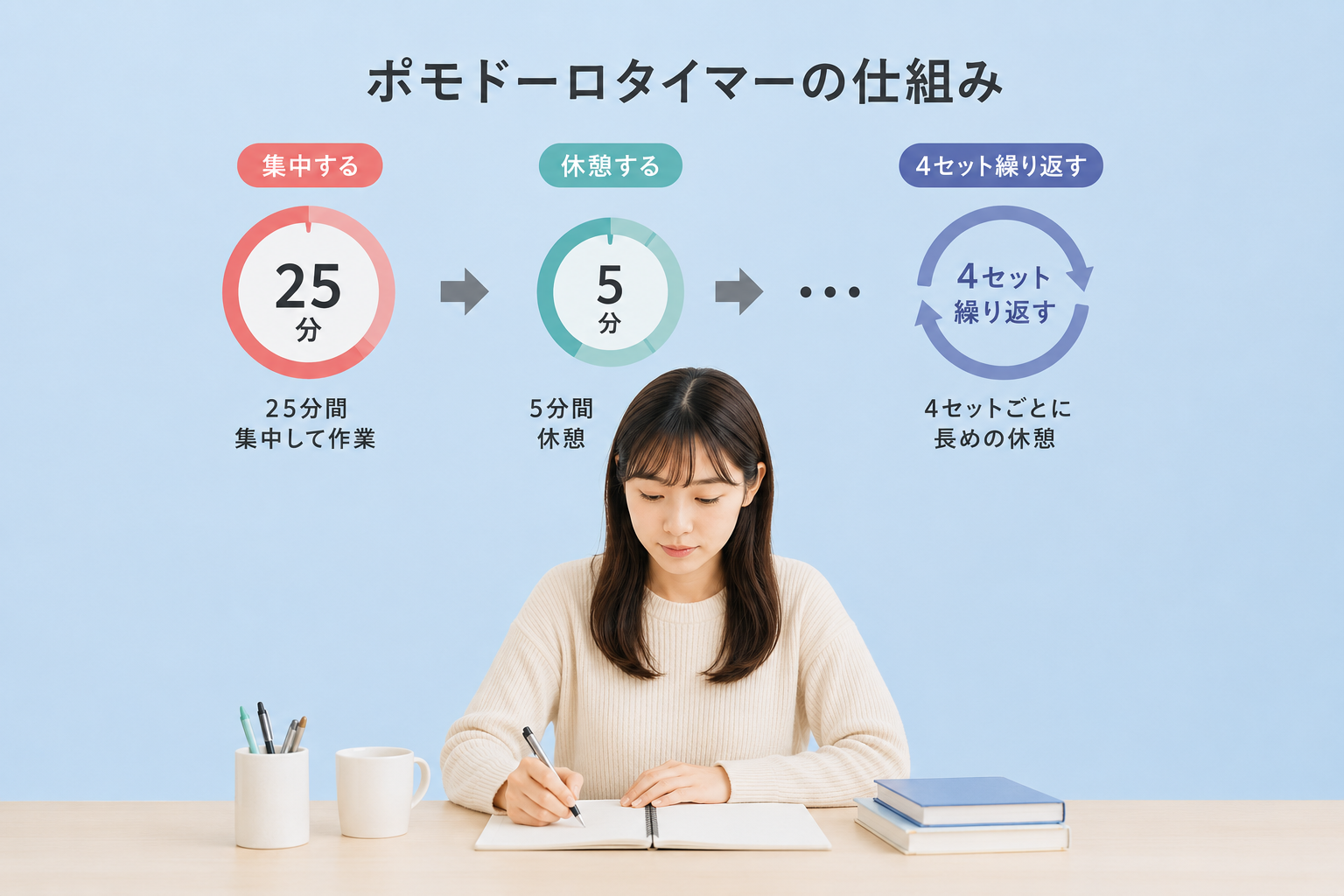
The Pomodoro Technique is a time management method invented in the 1980s. The rules are very simple, and you just repeat the following cycle:
- 25 Minutes: Focus entirely on one task.
- 5 Minutes: Take a short break.
- * After repeating this 4 times, take a longer break of 15 to 30 minutes.
The psychological hurdle of "I only have to work hard for 25 minutes" is low, and taking frequent breaks prevents fatigue from accumulating. It is widely adopted by programmers, designers, and students.
Why Plain Timers Don't Keep You Motivated
Even if you use your smartphone's default timer or a standard timer app, you might not last long. The reason is that "the work environment is plain and boring."
Humans perform at their best in environments they find "fun" or "comfortable." What if your "favorite idol's smile" was displayed in the background of your timer, and "music from your favorite YouTube video" was playing as background music?
"These 25 minutes are time to work hard with my favorite idol." "Time to work in a stylish space while listening to cafe BGM." By shifting your mindset like this, the work itself changes from something "painful" to "fun time."

Pack Your "Favorites" into the Web Timer 'OshiPoMo'
That's why we recommend the free web timer app "OshiPoMo", which specializes in customization.
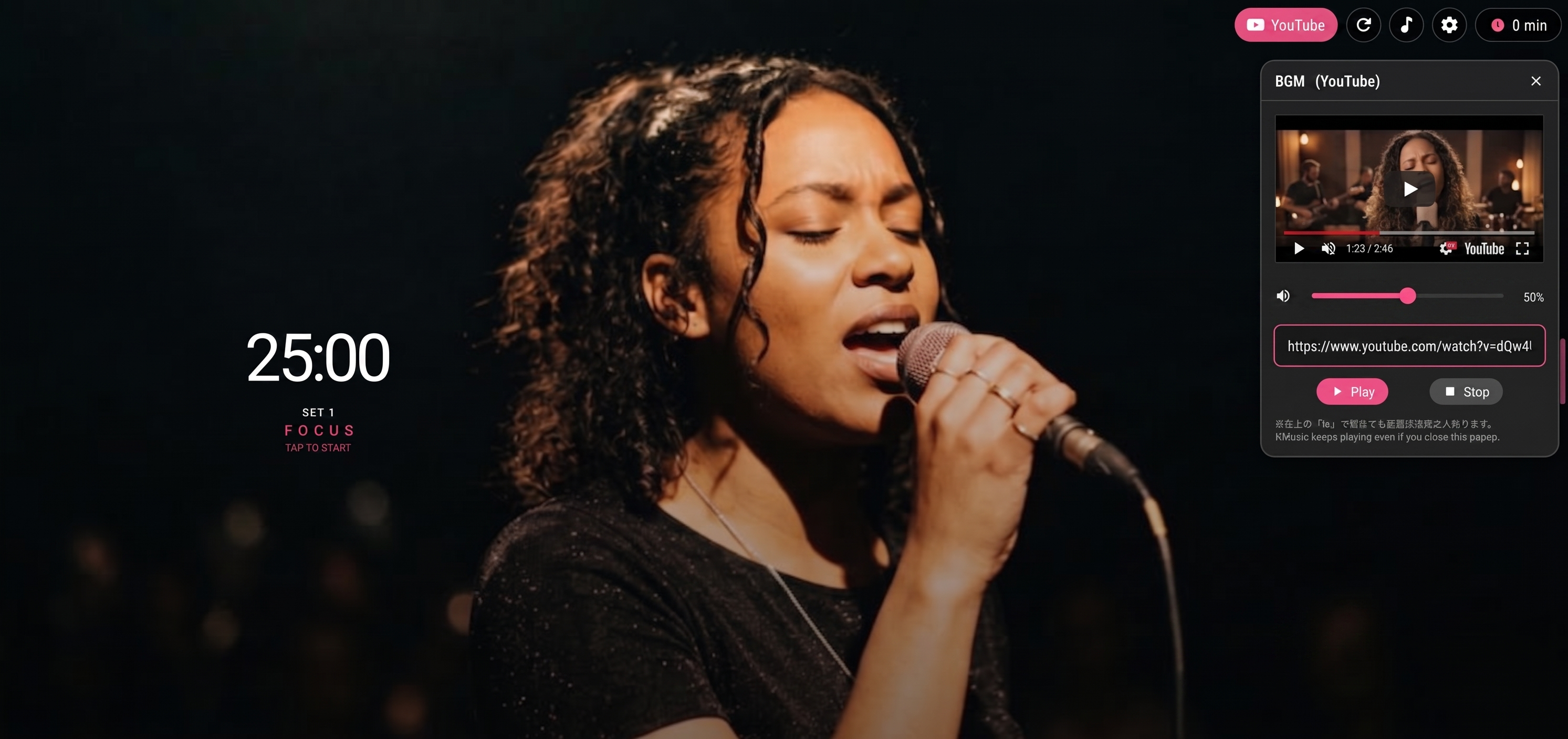
In addition to features for practicing the Pomodoro Technique, OshiPoMo is equipped with unique features designed to boost users' motivation.
1. Set Your Favorite Image as the Background
You can set your favorite images saved on your smartphone or PC—such as your favorite idol, anime character, pet, or scenery of a travel destination—as the background. You can even display different images for focus time and break time.
2. Play YouTube Videos as BGM
Simply by entering a YouTube URL from the settings icon in the top right of the OshiPoMo screen, you can loop the audio of your favorite video as BGM. Set the working BGM according to your mood for the day, such as "Lo-Fi HipHop," "Cafe ambient sounds," or "Game soundtracks."
3. Inspire Yourself with Cheering Messages
You can randomly display custom messages on the timer screen, such as "Just a little more!" or "Good job, rest a bit." If you set lines or quotes from your favorite characters, you can feel as if they are encouraging you directly.
You can also use it as a memo for things to do during your break.
Complete Privacy Protection
If you are worried, saying "I'm anxious about uploading my personal photos or images of my family to a web app...", don't worry.
The images and text you set in OshiPoMo are processed entirely within your device (browser). Your data is never saved or sent to an external server.
When you close your browser, the data is completely erased, so you can safely enjoy your own private space without anyone seeing it later.
Why not create your own focus space now?
OshiPoMo requires no troublesome membership registration or installation.
Why not access it from your browser right now and create the ultimate timer packed with your "favorites"?